Watch the Quick Guide
Click below to watch the full tutorial on YouTube and learn how to use accounts safely & perfectly.
 Jump to video
HOW TO USE ACCOUNTS
Install Steam client
Follow these steps to use KamiGames Steam accounts on your PC or laptop.
- Install the official Steam client and log out of your own account.
- Open KamiGames → go to Steam Accounts.
- Click Get account on the game you want.
- A new tab opens with username & password.
- Copy credentials and log in to Steam.
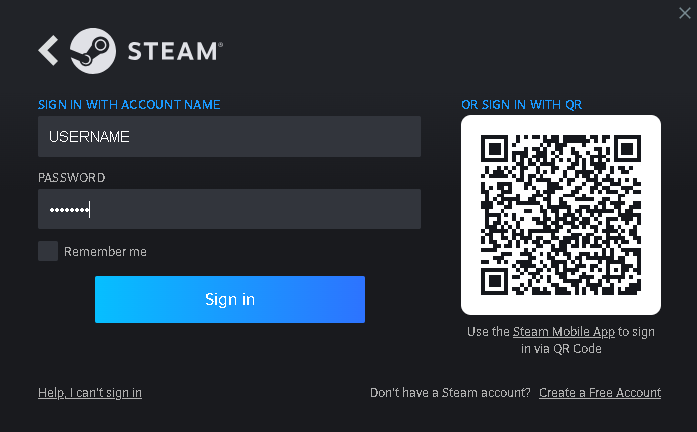
Steam login using KamiGames account
Games not showing in library
If the game does not appear, it may be hidden.
- Open Steam
- Click View
- Select Hidden games
- Unhide the game
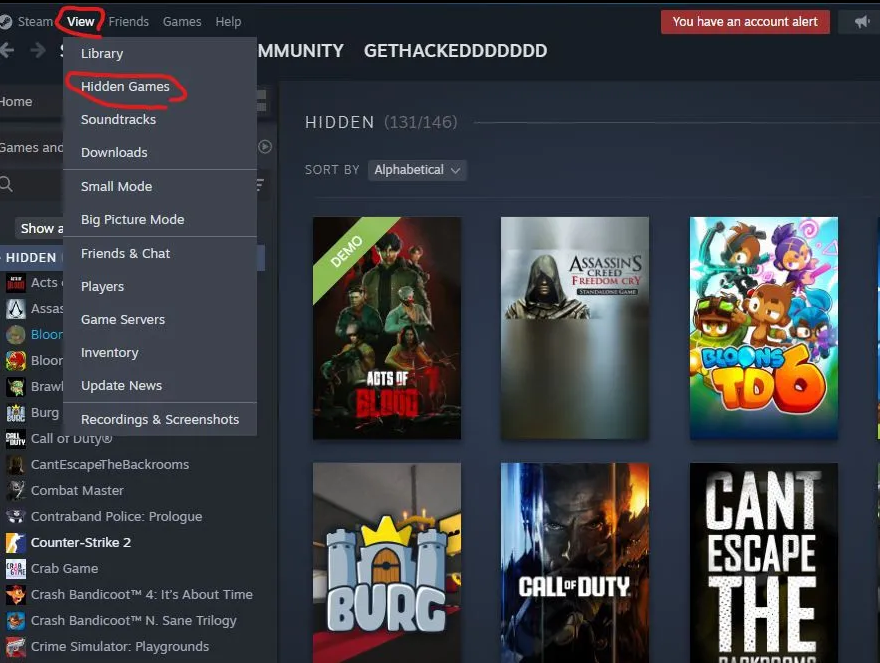
View → Hidden games
Can’t log in (Error 50)
Steam may show Error 50.
- Too many users logged in
- Steam limits logins
- Wait and retry
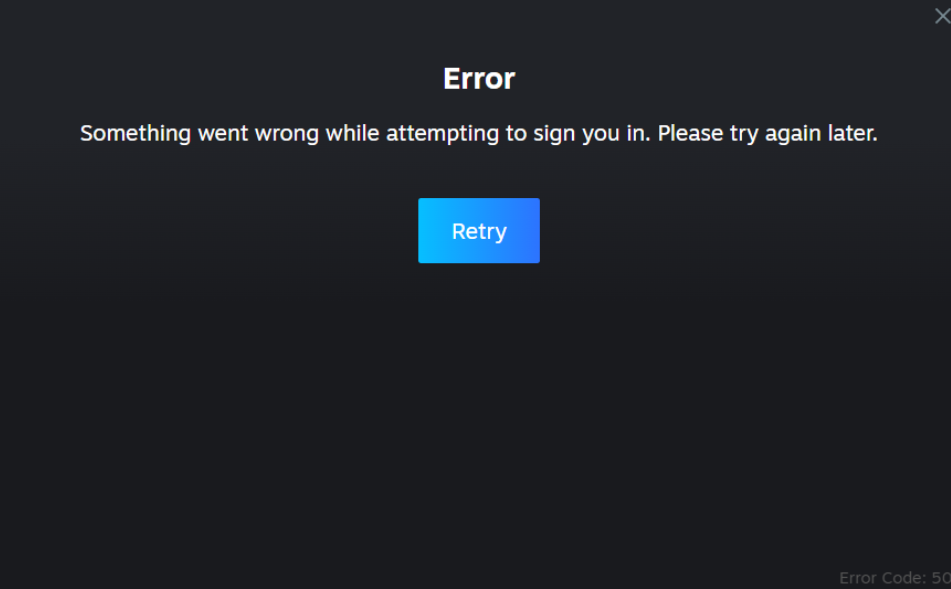
Error 50 screen example